Four to six weeks, through your school
The CEMC releases Euclid Mathematics Contest results roughly four to six weeks after the contest date — to schools and test centres, through its Contest Supervisor Portal, never directly to students. For a paper written April 6–7, that lands in practice around mid-to-late May, whatever faster timelines circulate.
The portal is the supervisor’s console: schools use it to order contests, obtain results and generate student certificates. What a writer does is simpler — ask the place where you wrote.

Two legitimate routes, one retired error
Your school’s contest supervisor downloads results and generates certificates from the portal. Ask the supervising teacher — the score arrives when the school retrieves it.
Authorized test centres receive scores the same way and notify their writers. The centre that registered you is the first and usually the only stop.
Older guides — this site’s previous version included — told writers to log in under a “Gauss Results” link on the CEMC site. That text was copied from another contest’s page. The Euclid has no student self-service login, and never has.
The score-to-rank ladder, 2026
The 2026 results booklet’s Student Ranking List converts scores into ranks among 19,796 ranked official participants, Canadian and international together — the most concrete answer to “is my score good?” the CEMC prints.
What each line awards — certificate, medal, honour-roll standing — is the competition pillar’s business; this page only says where a number landed.
The booklet, consent, and the missing names
The public face of each year is the bilingual Results Booklet, published alongside the past papers: summary statistics, problem averages, enrollment, champions, honour rolls and the Student Ranking List. In 2026 the national championship went to University of Toronto Schools, on a team score of 290 — a team score being the sum of a school’s three highest official papers.
The honour rolls list only high-scoring official participants who consented to public recognition, in separate Canadian and international lists. Names can be absent because a writer was unofficial or opted out — and “the CEMC does not change these statuses after the fact.” Schools are entered in the team competition automatically unless they opt out on the Supervisor Response Form, and the CEMC “reserves the right to withhold the publication of results at its discretion.”
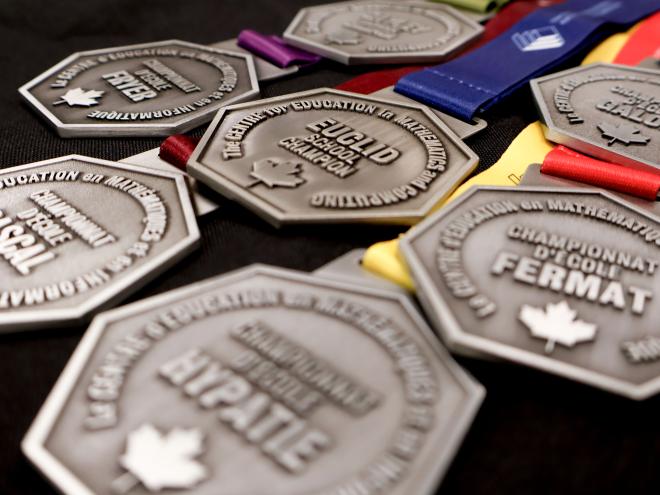
Certificates are generated by the school or test centre from the Supervisor Portal once results land — so digital paperwork follows the scores’ four-to-six-week clock. Physical mementos in China travel at logistics speed: third-party accounts report paper certificates arriving as late as the end of September. Treat that as shipping, not suspense.
Good scores are worth money here
Desk-registered writers who reach the lines collect scholarships — and every writer can have a score read into a next step.
488 / 888 RMB scholarships — desk-registered writers reaching Distinction / honour rolls.
2027 registration service — an authorized test-centre seat, paperwork handled.
1998–2026 past papers, free — contests, solutions and categorized question banks.
9.9 RMB trial lesson — one full placed lesson before any course decision.
 Scan to claim on WeChat
Five questions about scores and standing
Why is there no student login for Euclid results?
Because the CEMC releases results institution-to-institution: the Contest Supervisor Portal is where schools obtain results and generate certificates, and writers hear from their school or test centre. Any guide pointing to a “Gauss Results” login is recycling a template error from another contest’s page.
What does the Euclid Results Booklet contain?
The public, bilingual record of the year: summary and statistics, problem averages, enrollment, student champions and championship teams, team and student honour rolls, and the Student Ranking List. It is published with the past contests, free to download.
Was 70 a good Euclid score in 2026?
Yes. In 2026, a 70 ranked 3,566th of 19,796 ranked official participants — inside the top 18 per cent worldwide, comfortably above the Certificate of Distinction cutoff of 66, against a world average of 52.2. All 23,985 writers of 2026 sit behind those ranks.
Why might a high scorer be missing from the honour roll?
Three documented reasons: the writer was an unofficial participant, opted out of public recognition, or the CEMC exercised its stated right to withhold publication — as in 2024, when international results went only to the participating international schools. Statuses are not changed after the fact.
How long do paper certificates take to reach writers in China?
Digital results and school-generated certificates follow the official four-to-six-week window. The physical copies handled through China test centres are slower — third-party accounts report arrivals as late as the end of September. The centre that registered you is the one to ask.