The Euclid calculator rules are strict but simple: you may bring a non-programmable calculator, but it must not have network capabilities, stored formulas, or Computer Algebra System (CAS) functions. For students preparing for the 2027 Euclid Mathematics Contest, selecting the right device and knowing how to use it during practice is crucial. This guide clarifies what is allowed and offers actionable strategies to integrate calculator use into your study routine.
What Is Allowed Under Euclid Calculator Rules?
According to the Centre for Education in Mathematics and Computing (CEMC), the organizer of the Euclid contest, calculators are permitted under specific conditions. The core prohibitions are:
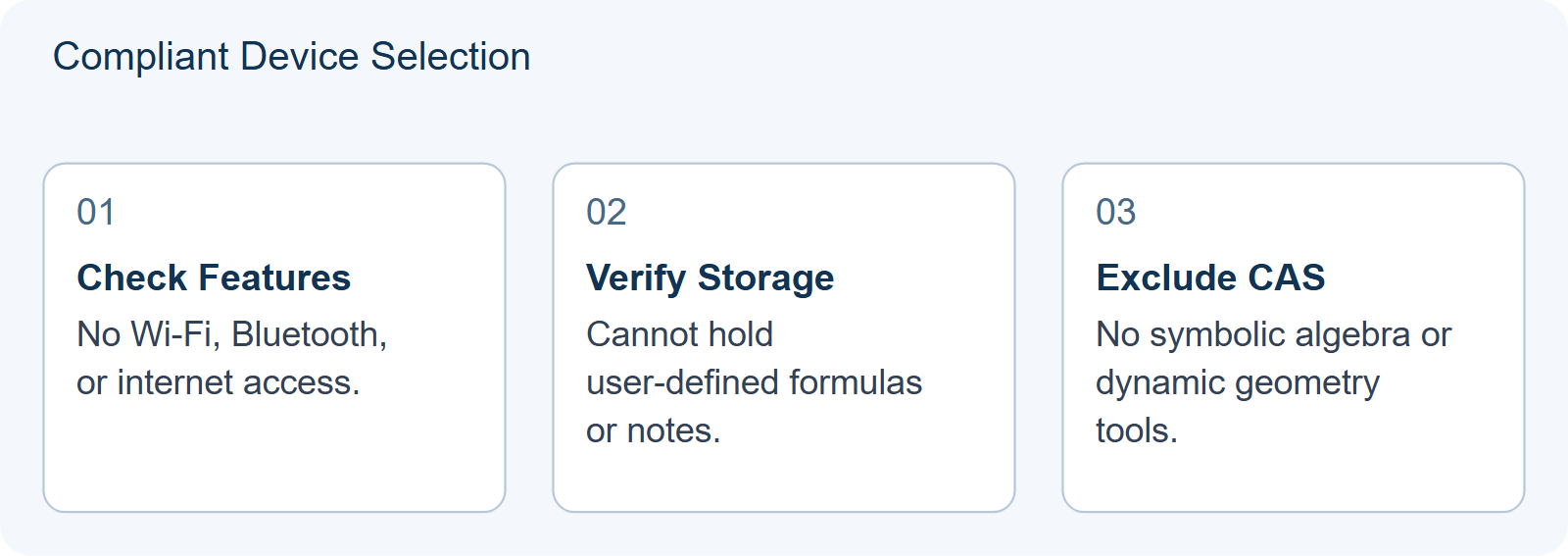
- No Network or Communication Functions: Devices cannot connect to Wi-Fi, Bluetooth, or cellular networks.
- No Stored Formulas or Notes: You cannot pre-load equations, constants, or text notes onto the device.
- No CAS or Dynamic Geometry Software: Advanced symbolic manipulation tools like those found in TI-Nspire CAS or GeoGebra apps are forbidden.
Standard scientific calculators (e.g., Casio fx-991 series or Texas Instruments TI-30X) that perform basic arithmetic, trigonometric functions, logarithms, and statistical calculations without programmability or storage are generally acceptable. Always verify your specific model against the latest CEMC guidelines before the exam day.
Why Practice Matters More Than Device Choice
Many students focus excessively on finding a “loophole” calculator, but the real advantage lies in fluency. The Euclid exam is a 150-minute paper with 10 questions. While some early questions might be solvable mentally, later problems involving complex numbers, sequences, or probability distributions benefit from quick numerical checks. However, relying too heavily on a calculator can slow you down if you don’t know the exact keystrokes.
To prepare effectively, consider these steps:
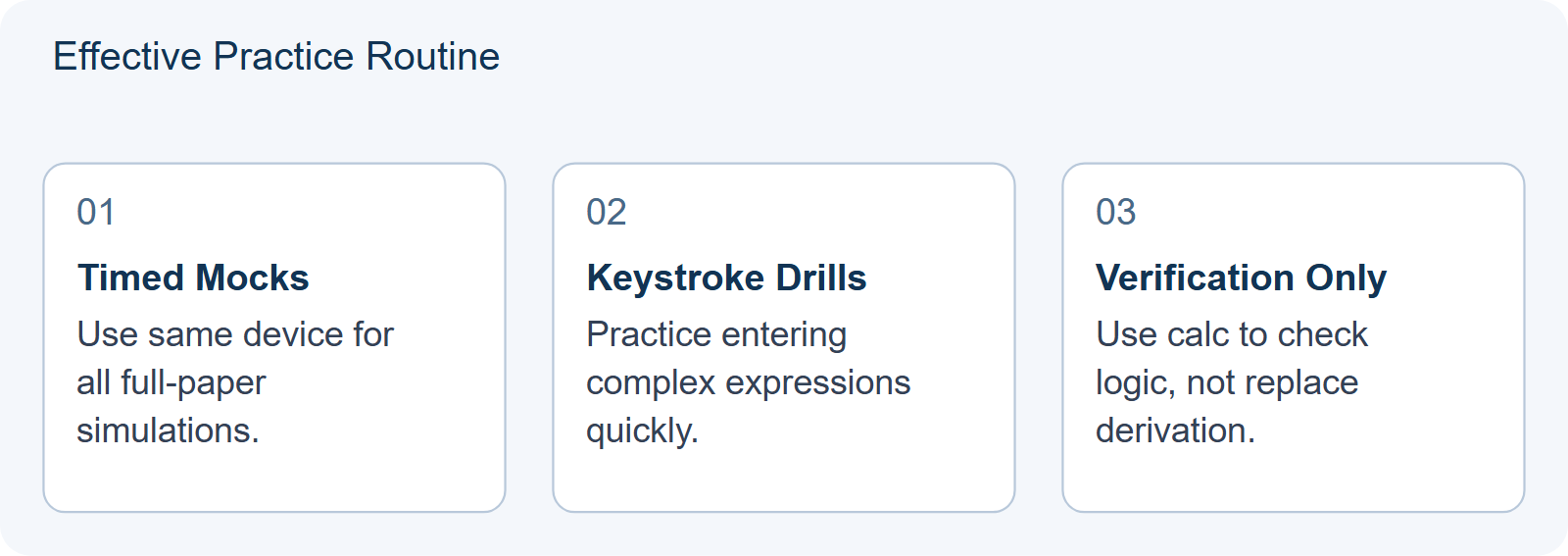
- Simulate Exam Conditions: Use your chosen calculator during full-length practice tests. Do not switch devices between practice sessions.
- Master Key Combinations: Learn how to quickly input fractions, exponents, and trigonometric values. Hesitation costs time.
- Verify, Don’t Solve: Use the calculator to check answers derived algebraically, not to replace the logical reasoning required for proof-based questions.
Common Misconceptions About Calculator Use
A frequent error is assuming that graphing calculators are allowed because they are common in high school classes. They are not. Another misconception is that changing the language setting on a device affects compliance. It does not. Compliance depends entirely on the hardware’s functional capabilities (network, storage, CAS), not its interface language.
If you are unsure whether your current device complies, consult the official CEMC resources or ask your test center coordinator. Remember, Hanlin International Education assists with registration and venue logistics but does not provide calculator lending or dispute resolution services. Ensure you bring your own compliant device.
Integrating Calculator Practice into Your Study Plan
For students aiming for a Distinction (top 25%), balancing mental math with calculator efficiency is key. Early questions (1-4) often test basic algebra and geometry where speed is essential. Later questions (8-10) involve multi-step reasoning where a calculator can help manage large numbers or verify intermediate results.
Use past papers to identify which questions truly require a calculator. For instance, counting problems with large factorials or probability questions with decimal probabilities are good candidates. Conversely, geometric proofs should rely on written logic, not numerical approximation.
For more detailed preparation strategies, review our guides on Euclid 2027 Readiness Check and The Algebraic Middle of the Euclid Paper. These resources help you structure your revision around the actual demands of the contest format.
Final Checklist Before the Exam
| Item | Action |
|---|---|
| Device Model | Confirm it has no CAS, network, or storage features. |
| Batteries | Replace old batteries with fresh ones one week prior. |
| Practice Log | Ensure you have completed at least three timed mock exams using this specific device. |
| Backup Plan | Know that no spare calculators will be provided; bring a second compliant device if possible. |
Understanding the Euclid calculator rules prevents last-minute stress and ensures you focus on solving problems rather than worrying about equipment. Start practicing with your chosen device now to build muscle memory and confidence for April 2027.
HYPOTHETICAL/ILLUSTRATIVE: The “Verification vs. Derivation” Decision in Probability Questions
To illustrate how to apply the advice on integrating calculator practice, consider a hypothetical student named Alex preparing for Question 9 of a past Euclid paper, which involves calculating the probability of drawing specific combinations from a deck with replacement. Alex has two plausible preparation strategies for handling this type of problem during timed mock exams.
Choice A: The Direct Calculation Approach. Alex inputs the entire formula into the scientific calculator immediately after reading the question. For example, if the problem requires computing $\binom{10}{3} \times (0.5)^3 \times (0.5)^7$, Alex types the combination function, multiplies by the decimal powers, and records the final decimal answer. This method is fast but risky. If Alex misinterprets whether the order matters or incorrectly sets up the binomial coefficient, the calculator will faithfully produce a wrong number. There is no intermediate step to catch logical errors, only arithmetic ones.
Choice B: The Algebraic Setup with Numerical Verification. Alex first writes down the symbolic expression on scratch paper: $P = \frac{10!}{3!7!} \times (\frac{1}{2})^{10}$. Alex then simplifies the factorial part mentally or on paper to get $120 \times \frac{1}{1024}$. Only at this stage does Alex use the calculator to compute $120 / 1024$ to verify the decimal value. This approach forces Alex to engage with the combinatorial logic before relying on the device. The calculator serves as a check for arithmetic precision rather than a solver for conceptual understanding.
The decision between these choices changes based on the complexity of the algebraic structure. For straightforward arithmetic-heavy questions (e.g., large exponentiation), Choice A might save time. However, for Euclid’s later questions, which often test reasoning over computation, Choice B is superior. It aligns with the article’s advice to “Verify, Don’t Solve.” By separating the logical setup from the numerical execution, Alex reduces the chance of input errors and ensures that any discrepancy between an expected integer result and a messy decimal triggers a re-evaluation of the setup, not just the keystrokes.
In a simulated 150-minute exam, Alex who practices Choice B develops a habit of pausing to define variables clearly. In contrast, Alex who relies on Choice A may rush through the setup, leading to higher error rates in complex scenarios. The key takeaway is that the calculator should be treated as a high-precision abacus, not a black box. You must provide the correct mathematical model; the device merely executes the arithmetic.
| Scenario Feature | Recommended Strategy | Reasoning |
|---|---|---|
| Simple Arithmetic (e.g., $2^{15}$) | Direct Calculation (Choice A) | Low risk of logical error; speed is priority. |
| Complex Logic (e.g., Conditional Probability) | Algebraic Setup + Verify (Choice B) | Catches conceptual mistakes before wasting time on calculation. |
| Unknown Answer Format | Estimate First, Then Calculate | Prevents accepting unreasonable results due to input errors. |
Reusable Self-Check: Before pressing “=” on your calculator during practice, ask yourself: “Can I explain why this expression represents the problem?” If you cannot articulate the link between the math symbols and the word problem without looking at the screen, do not calculate yet. Write the logic down first. This simple pause transforms the calculator from a crutch into a tool for verification, directly supporting the goal of mastering the Euclid format’s emphasis on rigorous reasoning.
Choosing the right device is only half the battle; consistent practice defines your Euclid performance. Start with a 60-Minute September Self-Test to gauge readiness, then refine skills using Algebraic Middle insights. Finally, master scoring techniques via our Self-Scoring Protocol. These steps ensure you maximize efficiency and accuracy before contest week arrives.
Frequently Asked Questions
Can I use a graphing calculator?
No. Graphing calculators typically contain CAS or advanced programming features that violate Euclid calculator rules.
Does Hanlin provide calculators?
No. Students must bring their own compliant device. Hanlin assists with registration and venues only.
Are phone apps allowed?
No. Smartphones have network and communication capabilities, which are strictly prohibited.